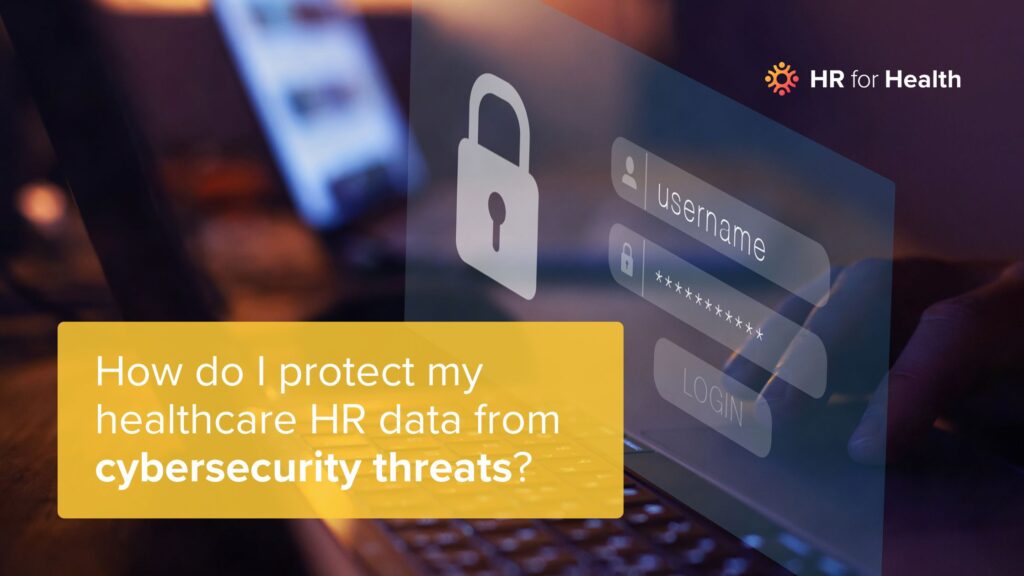
Healthcare practices prepare for clinical emergencies and operational disruptions. Cybersecurity deserves the same level of discipline. While many practices focus on protecting patient data, healthcare HR cybersecurity best practices are just as critical to protecting employee information and maintaining operational stability.
What is Cybersecurity and Why Should You Care?
Even if you’ve already changed your login from “password1234” to something secure, pause for a refresher here.
Cybersecurity means protecting your digital systems, programs, and data from bad actors. Technology and AI are advancing fast, and that means threats are becoming more sophisticated and harder to detect.
As a practice owner or manager, you should care about cybersecurity because you handle patient and employee data all day every day. A breach could impact more than just one person, and the fallout can be serious. The average cost of a healthcare data breach can be in the millions, between detection, notification, interruption, response, and lost revenue. It’s impossible to quantify how a breach would impact your practice’s reputation — both as a care provider and an employer. Not too many people will want to work with a practice that doesn’t protect their sensitive information.
So what do you do? Start with the basics. Here are the first data breach prevention steps healthcare employees should know.
4 Biggest Cybersecurity Risks for Health and Dental Practices
Phishing
Most scammers will take the path of least resistance: tricking people into sharing information that should stay confidential. Phishing uses an email, call, text, or DM in an attempt to get you to give up your valuable information. Sometimes it’s an obvious trick, like an unsolicited download from a sketchy website, but sometimes it’s a subtle invitation to click on a link that looks real.
In a health and dental practice, it’s not just one person’s information that’s up for grabs — patient health information (PHI) and your team’s private data can also be targets.
How to Prevent It
If a message seems suspicious, verify it before acting. Don’t give or enter your passwords into any portals you didn’t enter yourself. Stay up to date on team training and collect employee signatures to make sure trainings are completed.
Credential Reuse
Yes, it’s easier to use a single password for everything. Agreed, you’re much more likely to remember your dog’s name than a string of random letters and numbers. But you’ve got to change them up now and then. Recycling is nice, but not with passwords. You won’t always know if an old password has been compromised, so reusing it creates unnecessary gaps in your cybersecurity. Credential stuffing uses that exact tactic to break into accounts, and it succeeds more often than most people realize.
How to Prevent It
Do not share passwords, even with yourself. Use a secure password manager instead of reusing or storing them informally. Update your passwords often, and make them strong.
Unsecured Employee Data
You keep patient data secure under HIPAA. Keep your team’s data safe, too. When you onboard an employee, you collect an awful lot of personal data about them. You get their full name, address, copies of IDs, payroll data, and even their signature. If compromised, that information can be used for identity theft, financial fraud, or further system intrusion.
Remember that it’s not always anonymous scammers on the other side of the screen. Unauthorized access by employees or even patients is a risk, too. Keep your device physically and digitally secure at all times.
How to Prevent It
Even accidental data exposure counts as a cybersecurity breach. Use multi-factor authentication (MFA) and keep access need-to-know. Prevent vendors from accessing information, update software, destroy old records after storing them for the requisite length of time.
Known Exploitable Vulnerabilities
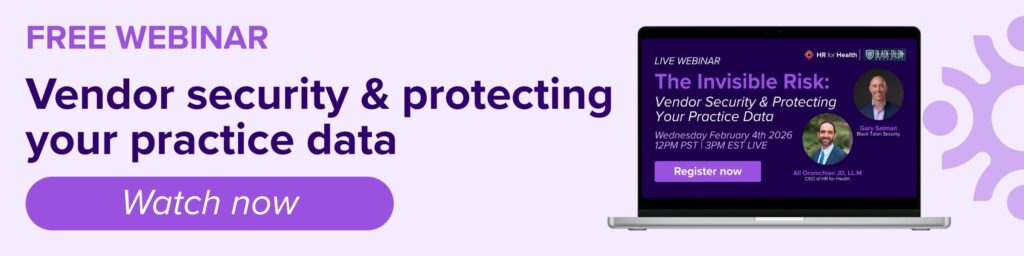
This is one of the newer and more urgent ways threat actors find their way into your system. Today’s attack surface extends across on-premises networks, cloud platforms, remote devices, and third-party vendors using known exploitable vulnerabilities, or KEVs. A single unpatched system or unsecured remote connection can open the door to a devastating breach. Black Talon Security regularly sees this happen to healthcare organizations.
And speed absolutely matters. Threat actors now use AI driven toolkits to weaponize vulnerabilities in hours, so the days of running quarterly, monthly and even weekly vulnerability scans are over.
How to Prevent It
Having a platform that continuously monitors and automatically remediates security vulnerabilities dramatically reduces your exposure window. A comprehensive cybersecurity dashboard delivers full attack surface visibility, scans for vulnerabilities, maps assets, and identifies weaknesses in real time. When KEVs are detected, the system highlights them immediately so you can deal with them in days, not weeks.
4 Ways to Tighten Up Your Healthcare HR Cybersecurity
Staff Training
Practice good cyber hygiene. Educate your people about cybersecurity best practices, HR information storage, and data breach prevention. Healthcare organizations like yours have a high level of access to information. Although employees may not love taking compliance training over and over, cybersecurity matters.
Use tools to ensure your teams read and sign your trainings and policies. Beyond convenience, this can reduce your insurance costs if you notify your brokers. You can use those same tools to hold your team accountable with those policies and document violations to prevent unsafe behavior.
And we hope you never need it, but you should develop a data breach prevention plan with your team. Know what constitutes a breach, who to contact and when, and how to lock down data for damage containment.
Secure Software Use
The documents you collect are important, so store them with the right platform. HR for Health can store both your employee documentation and their cybersecurity training certificates, all in one centralized, secure system. Plus, when they expire, you’ll be the first to know when it’s time for a refresher.
If you have concerns about storing documents in the cloud, it’s important to understand how modern security controls work. When implemented correctly, it’s safer than a physical filing cabinet. Encryption, role-based access controls, audit logs, and activity tracking provide visibility and protection that paper files or local drives simply cannot.
Know Your Cyber Risk Rating
By introducing metrics, cybersecurity becomes more manageable and proactive, rather than a nebulous effort. It brings the discipline of tracking and accountability, which is key as a practice scales. Think about it this way: an x-ray doesn’t heal a fracture; it identifies the problem so the doctor can treat it. A cybersecurity dashboard does the same for your digital environment. It delivers clarity, context, and prioritization so the right actions can be taken before damage occurs.
Without tracking such items, security efforts can be ad-hoc and reactive. It’s easy to fall into complacency (“We haven’t had a breach, so we must be secure!”) when in reality you might be one click-happy employee or one unpatched server away from trouble. Metrics like a cyber risk rating provide early warning signs.
Vendor Compliance
Not every vendor needs complete unfiltered access to your employees’ data, just like they wouldn’t need access to patient health information. Keep the security level at a minimum necessary access, both inside and outside your practice. Look for transparent data handling information to know what vendors are doing with your data.
When you choose a software provider, look for their security and privacy policies, and an SOC 2 certification. SOC 2 stands for System and Organization Controls 2, which is a framework by the AICPA (American Institute of Certified Public Accountants).
HR for Health is proudly SOC 2 certified to keep your information safe.
SOC 2 certification means an independent third party has evaluated the design and operating effectiveness of an organization’s security controls related to security, availability, and confidentiality. Those controls are tested over time and independently audited, providing assurance that security practices are not just documented, but operational. Doing this review and having the SOC 2 reports on file from your vendors could even help you save on insurance costs.
HR for Health Won’t Put You At Risk
Cybersecurity doesn’t have to be needlessly complicated, and you don’t have to sleep with one eye open. Just stay vigilant against scams and potential cybersecurity threats, and make sure everyone else in your practice does the same. Want to throw away your filing cabinet keys and switch to a secure data storage system? Get a demo to see what it looks like.