
If your current payroll setup isn’t cutting it, your whole practice suffers. It’ll be a relief to let go of making manual calculations and coming up with explanations for errors. But here’s what many healthcare practice owners don’t realize: deciding when to switch payroll providers matters, especially if the whole point is to make processes smoother.
We’ve seen straightforward implementations that take just weeks, and we’ve also seen messy transitions that create a wealth of unnecessary headaches. The difference is strategic payroll transition timing. Objectively, the best time to change payroll software takes seasonal factors, practice timelines, and the actual transition process into consideration. Here’s how to do it right.
Signs It’s Time to Consider a Payroll Switch
Before we get into timing, let’s identify whether you actually need to switch. Many practices tolerate payroll inefficiencies far longer than necessary. There are better options.
If any of these sound familiar, consider switching payroll providers:
- Spending 4+ hours per pay period on payroll tasks that could be automated
- If employees are asking where to find their pay stubs, time off balances, or how to update their withholdings or bank details
- Frequent calculation errors or needing to justify your calculations over and over
- Employees asking about pay discrepancies or missing deductions
- Outgrowing your system because your state or multi-location setup is too complex
- No visibility into whether payroll taxes are actually filed on time
- Getting the runaround with customer support for your current system
- Mystery fees or surprise changes to your contract
All of these things are tied to payroll, and they often take up a lot of office managers’ time to answer and sort out.
What You Could Get if You Switch
Better integrated payroll solutions eliminate manual tasks that consume your administrative staff’s time. They automatically calculate overtime based on your state’s laws, handle complex state tax requirements, integrate with time tracking systems, and provide real-time visibility into tax filing status. If your current system lacks these capabilities, you’re working harder than necessary and exposing your practice to compliance risks.
Automation is your friend in payroll. There are so many fiddly little tasks that you’re probably doing manually, but you don’t have to waste time on them anymore. And if you’re not exactly a math whiz who knows every detail about your state overtime rules, you might miss some of the nuances when doing calculations manually. Payroll that’s built for health and dental practices can handle it for you.
Payroll Migration Sweet Spot: December – January Transitions
For most healthcare practices, calendar year-end is the best time to switch payroll software. Switching payroll systems at year-end creates a clean break for tax reporting purposes. This way, all your W-2s, 1099s, and other tax docs stay in one system.
And, let’s face it, employees expect some administrative changes at year-end. Your team is already anticipating this will be the season of health insurance, retirement, and benefit updates. That said, try to avoid the late December rush when every payroll provider is swamped with year-end processing.
The window for the best time to change payroll software is either early-to-mid December (before the year-end chaos) or the first two weeks of January (after providers complete year-end processing but before January 31 W-2 deadlines). To target a January 1 go-live date, start your implementation process in early November.
If you didn’t switch during the “ideal” window, that’s completely fine. You can still move payroll at a time that makes sense for your practice, especially when there’s less paperwork involved, which can make the transition easier. If you get stuck or aren’t sure which docs go where, you can always call our HR experts for support.
How Long Does Payroll Transition Take?
Being realistic about payroll transition timing prevents you from making rushed decisions or jumping to conclusions. It typically takes 4-8 weeks to switch payroll providers. Timelines vary based on providers and your motivation to keep things moving, but trying to expedite this process only increases the odds of errors and puts stress on your team. You don’t need either of those things. Here’s the less-stress payroll implementation timeline.
Step 1
Pick your provider, then expect a flurry of contract signing and kickoff calls. You’ll meet your implementation team, review timelines, and start going through documentation. This phase moves quickly if you’ve done your homework, but it’s also a great time to ask questions.
Step 2
This is the most critical phase: data migration. Don’t panic, though. You should be able to request all of these things from your current payroll provider, then pass them on to your new one:
- Earnings data year to date (more if you’re kicking off later in the year, less if you’re doing it in the beginning of January or start of a new quarter)
- Tax withholding information
- Employee records
- Benefit deductions
- Special pay arrangements
HR for Health guides you through this process so you can customize to your heart’s content. The focus here is accuracy, because errors made at this point will snowball. Clean, organized data dramatically accelerates this phase, which is where centralized document management comes in.
Step 3
Next up is getting your team onboard. Show your team how to submit timesheets, take care of corrections, access reports, and see their documents. Check that your time tracking integration is ready to sync seamlessly with your new payroll system from day one. The IRS provides guidance on managing payroll across fiscal and calendar years, which your accounting professional should review during the transition planning.
Step 4
By now, your employees should be using their new timeclock and have completed their documents. Build in a little time for your employees to get comfortable and confident with the system. If you notice any bumpy processes, now’s the time to smooth them out. If you’re moving from a manual process or clunky outdated systems into HR for Health, get ready to see real time savings.
After that, you’ll have your shiny new payroll system. Ta da!
Why does this process take so long?
Even if you have a small team, it’s going to take a little time to get everything set up correctly. Think of the time you’ll save by not fixing errors, undoing tax mistakes, issuing back payments, and answering questions after the fact. That’s why the American Payroll Association recommends allowing adequate implementation time to ensure accuracy and compliance.
How to Have a Seamless Payroll Transition
Why would you make do with a difficult payroll system? We all know that your spreadsheet solution is not as complete as it needs to be. We also know that using a generic payroll that doesn’t take state-specific guidelines or healthcare-specific needs into account is going to be full of holes. In a dental or healthcare practice, your team is made up of employees and contractors who don’t always have the easiest payroll needs.
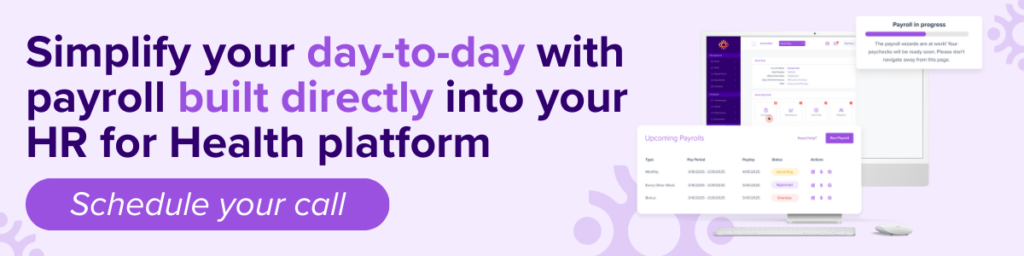
Enter HR for Health. Our healthcare payroll solution is designed specifically for medical and dental practices just like yours. It’s an all-in-one HR and payroll platform with time tracking, and payroll processing, performance management, an employee handbook, and more, all built specifically to protect you from changing employment regulations.
Want to make sure you’re getting what your practice really needs? Download the Practice Owner’s Guide to Choosing and Switching Payroll Providers to learn more.